AXIS
from zip to your own perps terminal.
Everything you need to build, configure, brand and publish your own non-custodial perpetuals terminal on Hyperliquid. Read it top to bottom the first time. After that, press / and search.
01What you bought
AXIS is a non-custodial perpetuals terminal on Hyperliquid, written in Flutter. The wallet is created on the user's device, every order is signed locally, and the signed action goes straight to Hyperliquid. No server routes, batches or submits an order.
The operator — you — earns the Hyperliquid builder fee: your builder code rides on every order placed from your build, and Hyperliquid pays the fee to your address.
A fresh build is empty and inactive: no builder address, builder fee off, and perps trading off until you switch it on. There is no default vendor account anywhere in the source (DOCS/EARNING.md).
| Part | Where | What it is |
|---|---|---|
| Terminal app | lib/ | One Flutter app for web, iOS and Android: Markets, Trade, Earnings and Account. |
| Hyperliquid client | lib/core/hyperliquid/, lib/state/hyperliquid_provider.dart | Info and exchange APIs, WebSocket streams, local signing, order math. |
| Operator console | Account → Settings → Operator console | Network, surfaces, builder fee, branding, support, availability. No separate admin app. |
| Earnings screen | The Earnings tab | Routing, on-chain approval, rate, builder balance, prerequisites. |
02Status of this version
AXIS 1.0.0 is described in its own README.md as a working scaffold. What is complete: the Hyperliquid client and signing, the Markets, Trade and ticket screens, the builder-fee configuration, the Earnings screen and the AXIS design. Known gaps in this version:
- Settings, onboarding, security centre, notifications, WalletConnect and QR screens still use the layout of the wallet engine AXIS grew from.
- The wallet state class still carries code for other chains that the terminal does not use.
- The app icon is a provisional mark — replace it (how).
The build is healthy: flutter analyze reports no errors or warnings, all 927 tests pass and the web release build succeeds (checked for these docs).
03Pick your path
04Try it before you install
The live demo: axis-demo.mikodes.com. The screenshots in these docs come from the demo build (AXIS_DEMO=true), which uses fixture data — the balances, positions and builder address in them are samples, not real accounts.
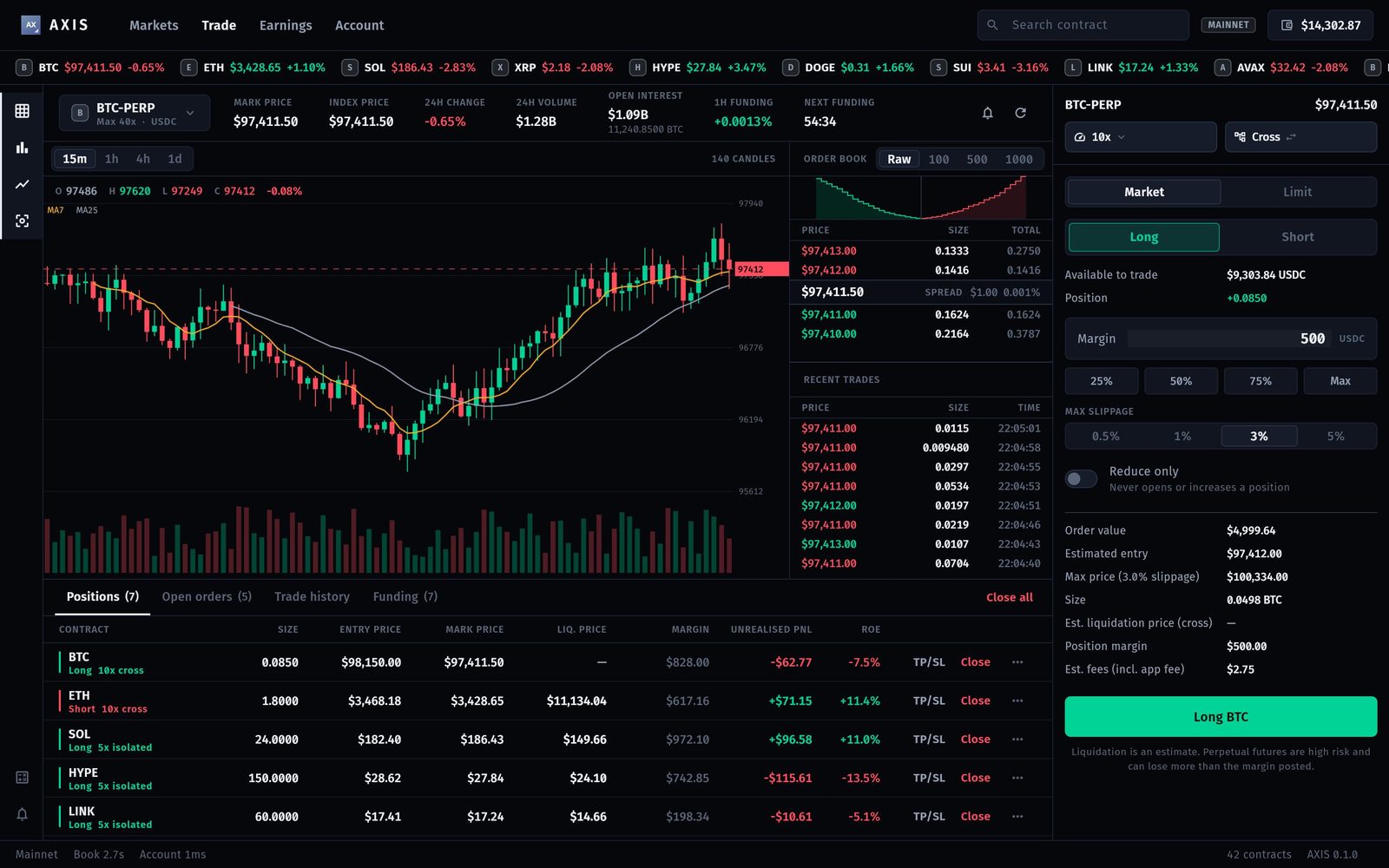
Perpetual futures use leverage and can lose the whole margin. AXIS shows a risk disclosure before the first order and marks the liquidation price as an estimate. Whether you may offer perps to your users depends on your jurisdiction and theirs.
05How to read these docs
- Dark boxes are commands. Press Copy in the corner and paste them into a terminal.
- Grey text after
#is an explanation. The Copy button leaves it out. - Text in angle brackets, like
<your-project>, is a placeholder. Replace it, brackets included. - Paths start at the unzipped project folder.
- Required marks steps you cannot skip.
- Not active in this version marks switches that appear in the console but have no screen behind them yet.