Operator console
every section, in order.
AXIS has no separate admin app. Its controls live inside the terminal: Account → Operator console. This page walks through each section from top to bottom, and explains what the console can and cannot reach.
01Open it, and know what it reaches
Open the Account tab → section TERMINAL → Operator console (lib/features/admin/operator_console_screen.dart).
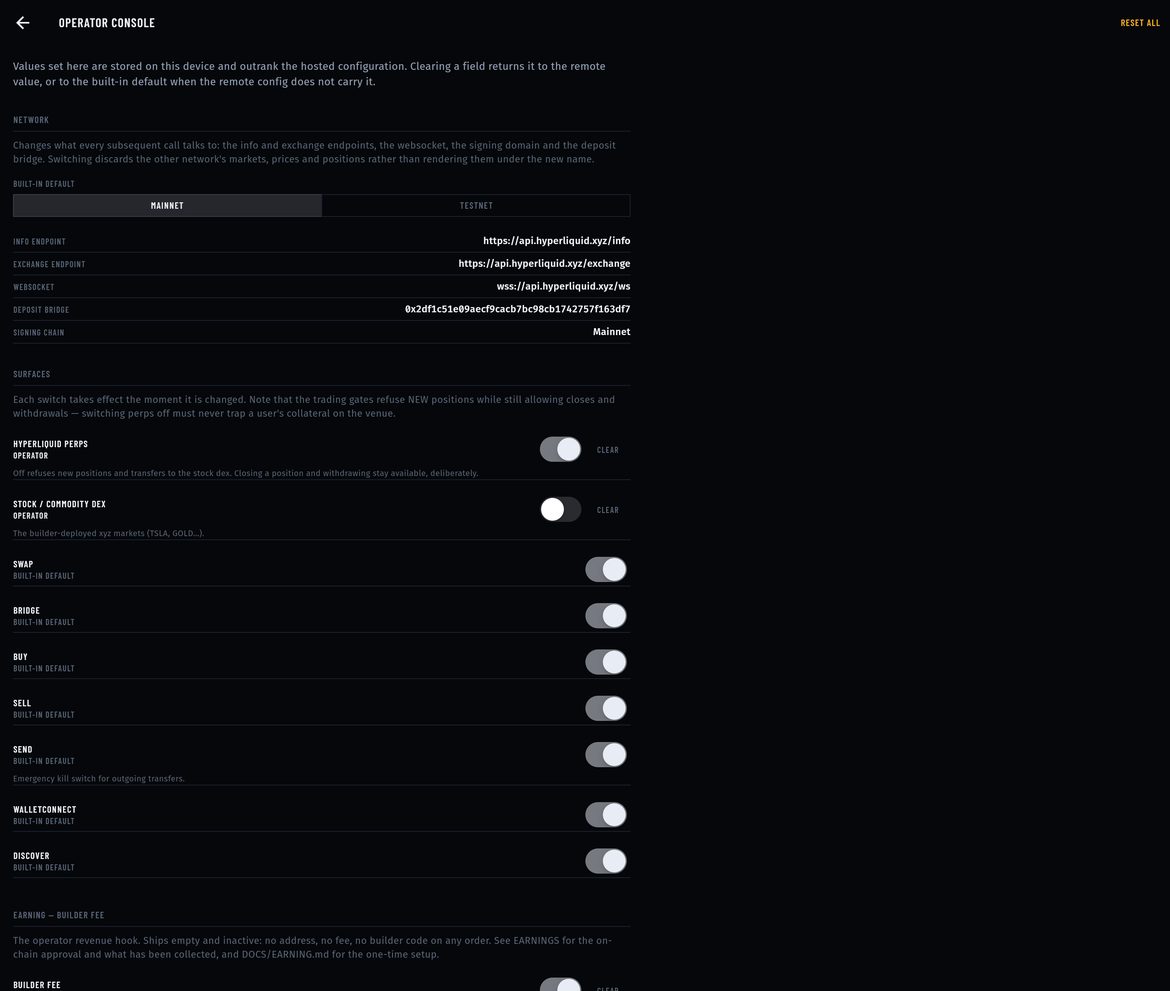
Values saved here are stored on this device only and outrank your published config on that device. They do not reach your users. To configure every copy of your build, publish the same keys in config.json or Firebase (how).
In 1.0.0 the Operator console entry is not locked: every user of your build can open it on their own device. A user who changes a value there changes only their own copy (for example, switching the builder fee off for their own orders). If you do not want users to see it, remove the Operator console and Operator flags entries from lib/features/settings/settings_screen.dart in your release build and manage settings through your published config.
02Network
MAINNET / TESTNET. Switching asks for confirmation, then changes every endpoint the terminal talks to, and discards the other network's markets, prices and positions. The rows underneath show the live values: info endpoint, exchange endpoint, WebSocket, deposit bridge and signing chain.
The choice is stored on this device only. The build's starting network comes from HYPERLIQUID_NETWORK (default mainnet).
03Surfaces
Switches take effect immediately.
| Switch | Key | Effect |
|---|---|---|
| HYPERLIQUID PERPS | hyperliquid_perps_enabled | Off (the default) refuses new positions and transfers to the stock dex. Closing positions and withdrawing always stay available, so users are never trapped. |
| STOCK / COMMODITY DEX | stocks_enabled | The builder-deployed xyz markets (for example TSLA, GOLD). |
| WALLETCONNECT | walletconnect_enabled | Off shows a disabled message on the WalletConnect screen. |
| SWAP, BRIDGE, BUY, SELL, SEND, DISCOVER | swap_enabled … | Not active in this version No AXIS screen reads them. |
04Earning — builder fee
| Field | Rule |
|---|---|
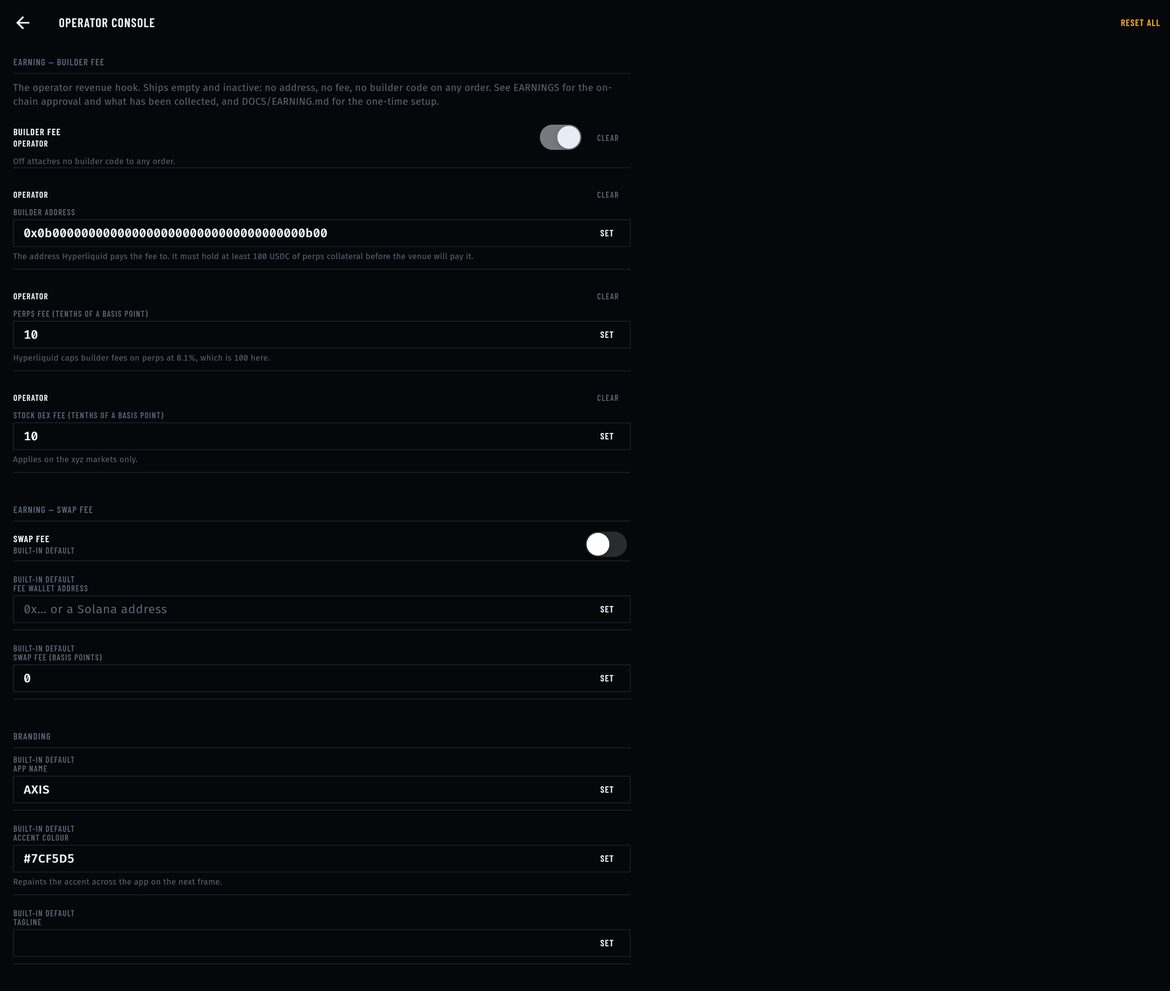
| BUILDER FEE | Master switch. Off attaches no builder code to any order. |
| BUILDER ADDRESS | 0x + 40 hex characters, not the zero address. Must hold at least 100 USDC of Hyperliquid perps collateral before the venue pays it. |
| PERPS FEE (TENTHS OF A BASIS POINT) | 1 to 100. 10 = 1 bp = 0.01 %. 100 = 0.1 %, the protocol cap. |
| STOCK DEX FEE (TENTHS OF A BASIS POINT) | Same units, xyz markets only. 0 = charge the perps fee there too. |
Out-of-range values are rejected at the field with the reason. Full setup: Setting up earnings.
05Earning — swap fee
Not active in this version SWAP FEE, FEE WALLET ADDRESS and SWAP FEE (BASIS POINTS) come from the wallet engine. AXIS has no swap screen, so these fields earn nothing. Leave them off and empty.
06Branding
- APP NAME (
app_name): window title and About screen. The header mark text is set in code (Rebranding). - ACCENT COLOUR (
primary_color):#RRGGBB; repaints the accent on the next frame. - TAGLINE (
tagline): About screen.
07Support
SUPPORT EMAIL, SUPPORT URL and WEBSITE. Used by the Support and About screens. The email must be a valid address and the URLs valid links, or the field refuses them.
08Integrations
WALLETCONNECT PROJECT ID (walletconnect_project_id) from cloud.reown.com. Without one, dApp connections are unavailable and the WalletConnect screen says so. You can also compile it in with REOWN_PROJECT_ID.
09Availability
- MAINTENANCE MODE: replaces the whole app with the maintenance screen at the next config apply. Check the message first.
- MAINTENANCE MESSAGE: the text on that screen.
- MINIMUM APP VERSION: for example
1.2.0. Installed versions below it are asked to update, usingAPP_STORE_URL/PLAY_STORE_URL. Empty disables the check.
Setting maintenance mode in the console on your own device locks your device into the maintenance screen. Use it through your published config, and keep a way to publish the change back.
10Effective configuration
The merged result the app is running on, key by key, each tagged OPERATOR, REMOTE CONFIG or BUILT-IN DEFAULT. COPY AS JSON copies it to the clipboard: a quick way to produce your config.json.
CLEAR next to a field returns it to the remote value, or to the built-in default. RESET ALL (top right) clears every operator value on this device, including the builder address and fee.
11Operator flags
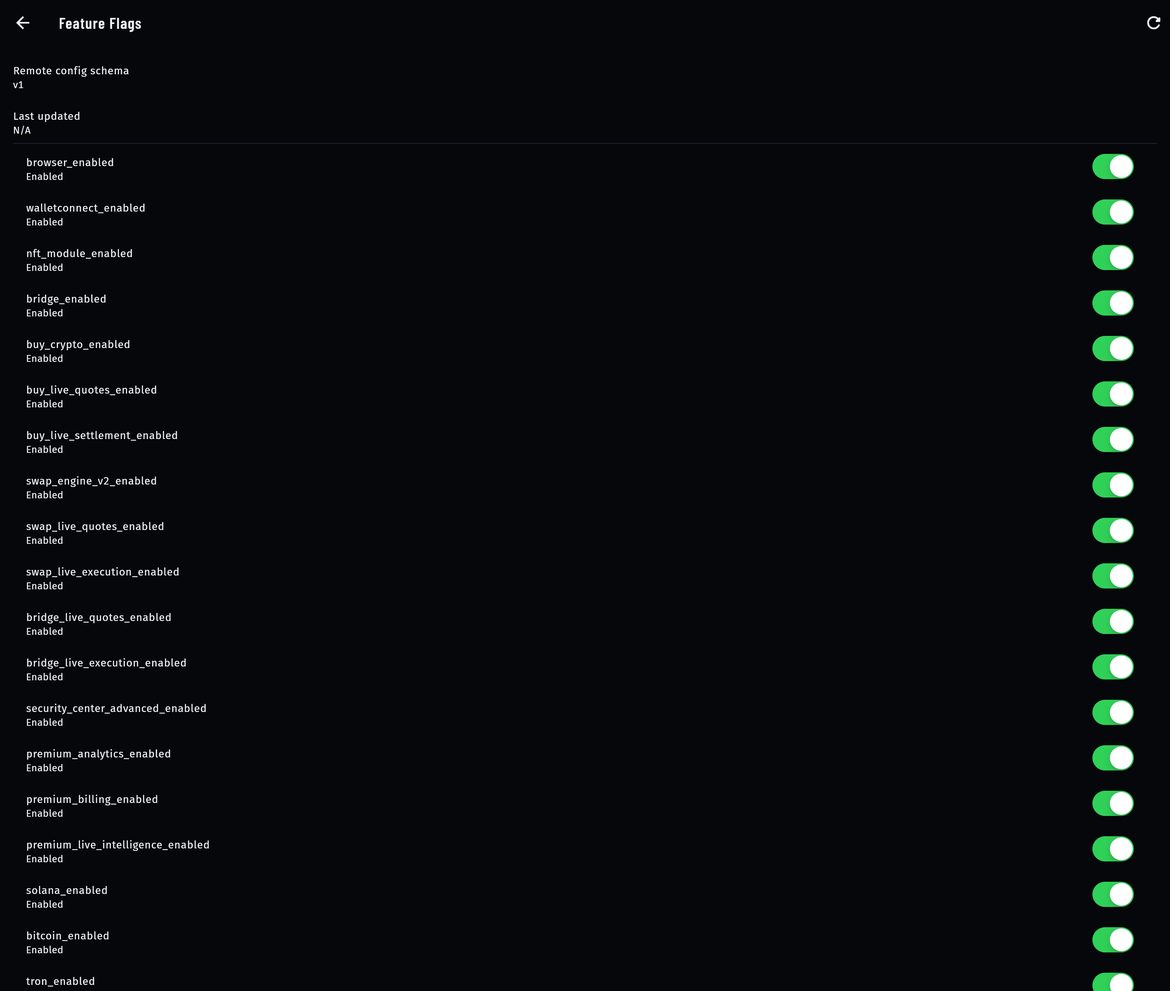
Account → Operator flags is a separate, inherited list of client-side feature switches (browser, NFT, bridge, buy, Solana, Bitcoin …). They belong to the wallet engine and do not change the perps terminal. Flags pinned with --dart-define=FF_… at build time cannot be changed there.
12The Earnings tab
The read-only side of the builder fee: routing, this wallet's on-chain approval, your rate against the cap, the builder address balance, orders that went out without the fee, and the protocol prerequisites. It is described line by line in Earnings → The Earnings screen.